
Set up CardDAV on your iPhone or iPad
When you add your CardDAV account, you can sync your Contacts with your iOS device.
Add your CardDAV account
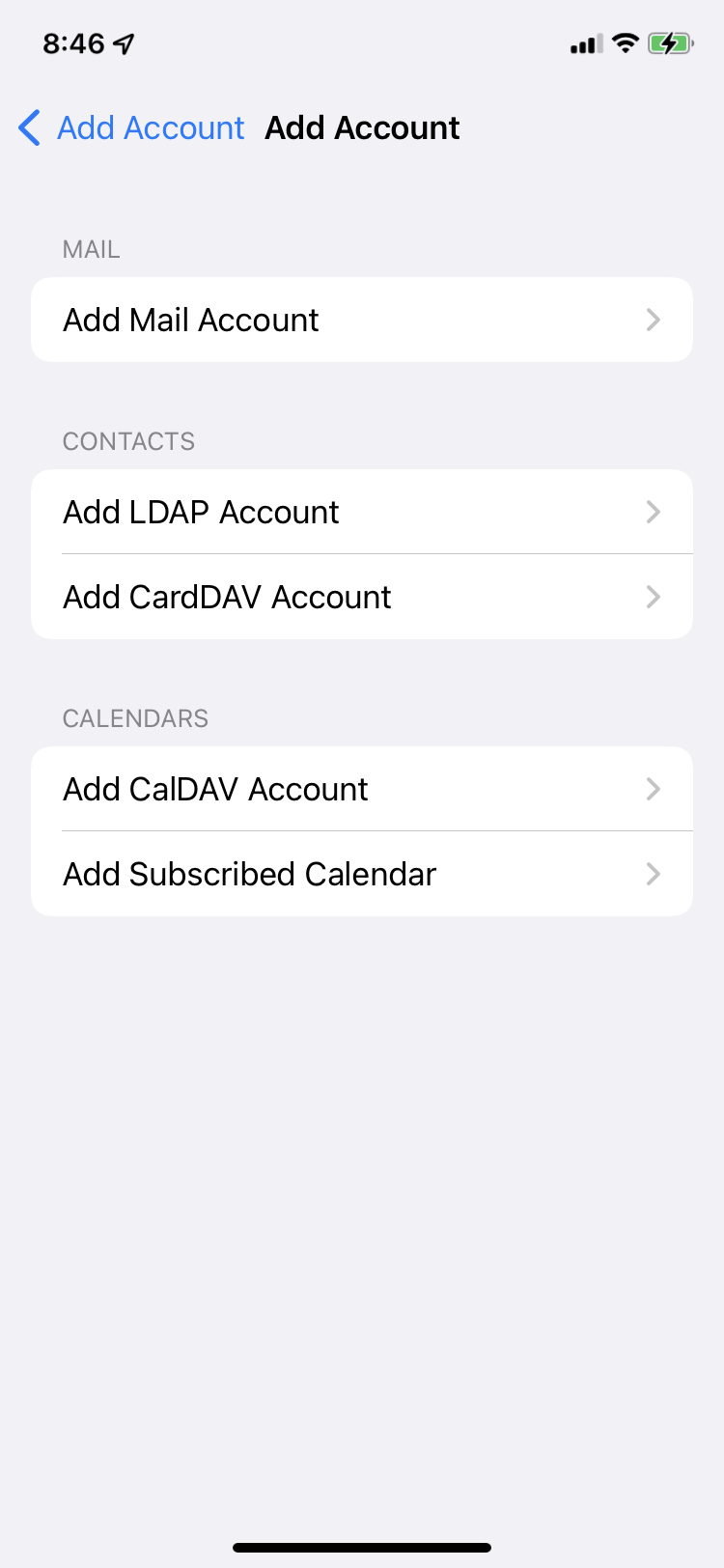
Tap Settings > Contacts > Add Account > Other.
If you're adding another account, tap Accounts > Add Account.
Tap Add CardDAV Account.
Enter CardDAV information
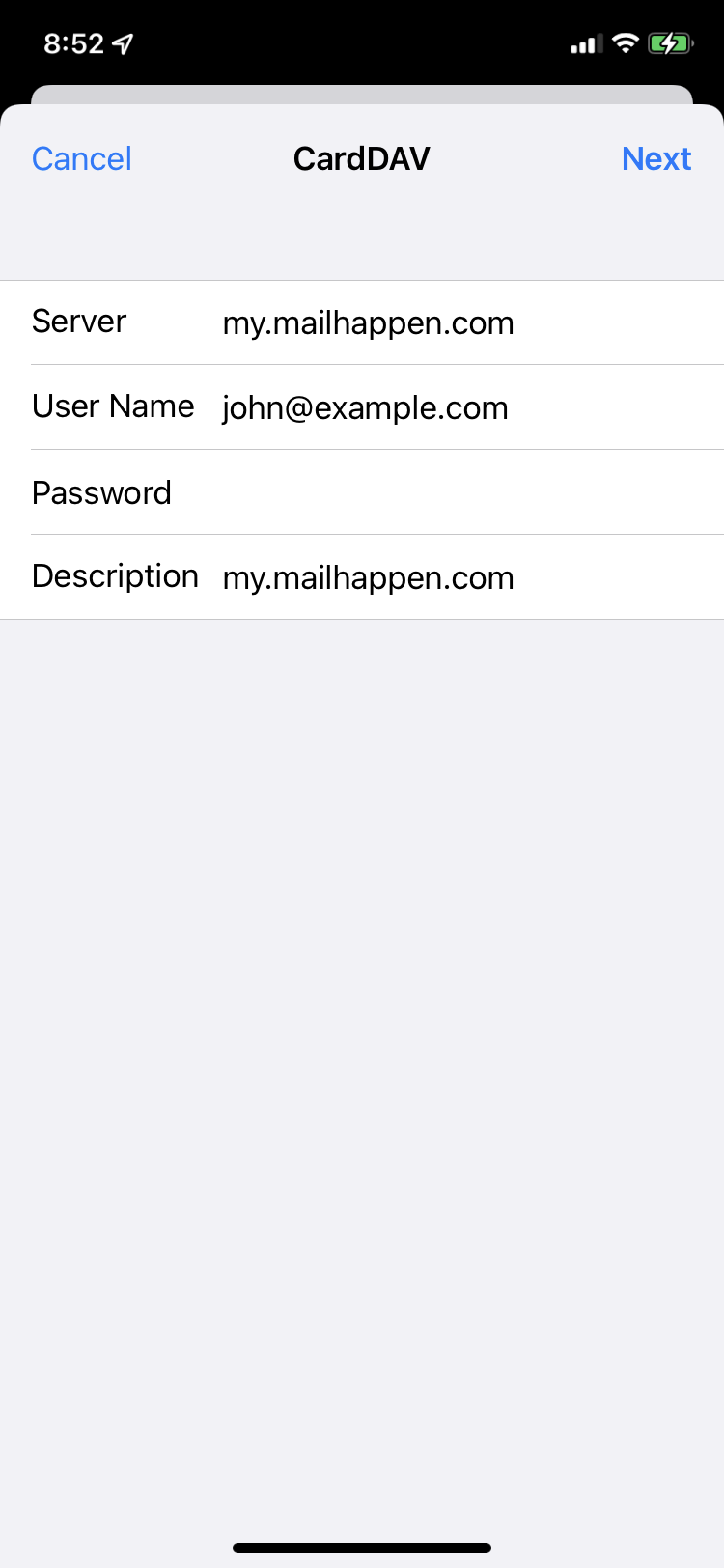
Enter information as below, then tap Next. You can also enter an account description.
| Server |
my.mailhappen.com |
| User Name |
your email address |
| Password |
your password |
Done
The CardDAV account is added. You can use Contacts app to see all your contacts.